


Your website is live. The launch party is over, the team has celebrated, and the site looks great. So what happens next?
For many Australian business owners, this is where the surprises begin. Plugins go out of date. Backups quietly fail. An SSL certificate expires on a Friday night. A page that ranked well last month drops off page one.
That is why website maintenance after launch matters as much as the build itself. A website is not a brochure you print once. It is a living asset that needs regular care.
This guide explains what website maintenance is, what it includes, how often each task should happen, what it costs in Australia, and how to choose the right support.
What Is Website Maintenance?
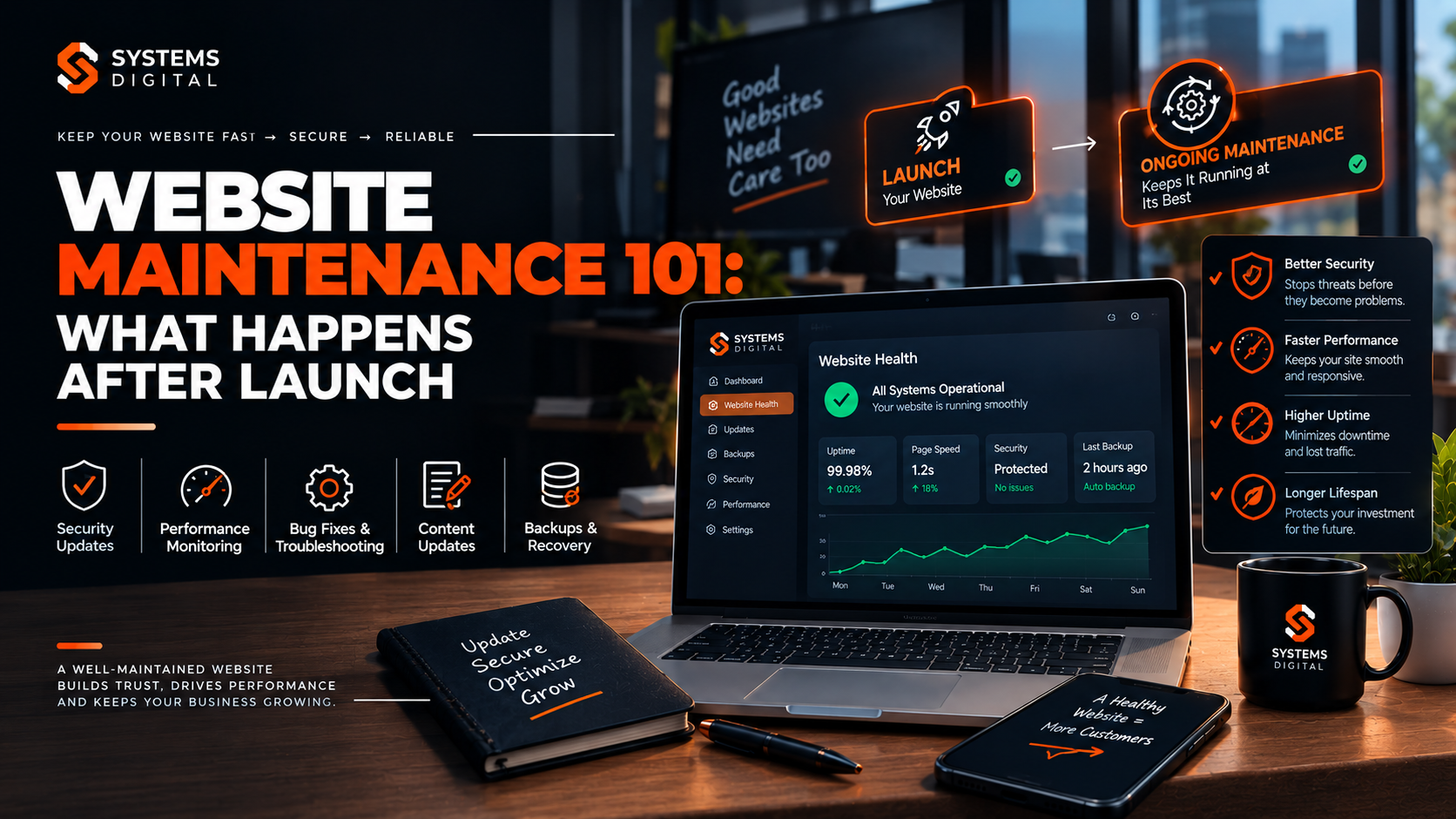
Website maintenance is the ongoing work of keeping a website secure, fast, accurate, and working properly after it goes live. It covers software updates, security monitoring, backups, performance checks, content changes, and technical fixes.
Think of it like servicing a car. You can drive without a service for a while. Eventually, something fails, and it usually fails at the worst possible time.
Website maintenance is sometimes called:
- Website support and maintenance
- Website management and maintenance
- Website care services
- Post-launch website support
- Website lifecycle management
The names differ, but the goal is the same: keep your site healthy so it keeps earning trust, traffic, and enquiries.
Website maintenance vs. website hosting
Many people assume hosting includes maintenance. It usually does not.
Hosting keeps your site online by providing server space. Maintenance keeps the site itself in good shape. Some hosts offer basic backups or security scans, but they rarely update your plugins, fix broken forms, or review your SEO health.
Quick comparison:
| Area | Hosting | Website maintenance |
|---|---|---|
| Server uptime | Yes | Monitors it |
| Plugin and theme updates | No | Yes |
| Security scanning and cleanup | Sometimes basic | Yes |
| Content changes | No | Often included or available |
| Bug fixes | No | Yes |
| Performance tuning | Rarely | Yes |
What Happens After a Website Is Launched?
Launch day is the start of a new phase, not the finish line. Here is what typically happens in the weeks and months that follow.
In the first 72 hours:
- Real users find bugs that testing missed, such as a form that fails on one browser.
- Search engines begin crawling and indexing the site.
- Analytics and conversion tracking start collecting real data.
In the first 30 days:
- Software vendors release updates for your CMS, plugins, and themes.
- Automated bots begin probing the site for weaknesses. Every public website gets this attention, however small the business.
- You see early traffic patterns and learn which pages work.
In the first 12 months:
- SSL certificates, domains, and hosting plans come up for renewal.
- Content becomes outdated: old prices, staff changes, expired offers.
- Browsers, devices, and Google’s requirements keep evolving.
Without a plan, these changes pile up quietly. A maintenance plan turns them into a predictable routine.
Why Website Maintenance Is Important
Skipping maintenance rarely causes an immediate crisis. It causes slow decay, then a sudden failure. Here is what is at stake.
1. Website security
Security is the strongest reason to maintain your site. Outdated software is one of the most common ways websites get compromised. WordPress alone powers more than 40% of all websites, which makes it a constant target, and most attacks exploit known flaws that already have a patch available.
Regular security updates, vulnerability scanning, and malware scanning close those gaps before attackers use them.
In Australia there is also a legal side. If your site collects customer data and a breach occurs, you may have obligations under the Privacy Act’s Notifiable Data Breaches scheme. Prevention is far cheaper than a clean-up and a notification process.
For practical guidance, the Australian Cyber Security Centre publishes free advice for small businesses at cyber.gov.au.
2. Speed and user experience
Visitors do not wait for slow pages. Over time, images grow heavy, databases fill with clutter, and plugins pile up. Website speed optimization keeps pages loading quickly.
Google measures real-world experience through Core Web Vitals. Its published targets are:
- Largest Contentful Paint (LCP): 2.5 seconds or less
- Interaction to Next Paint (INP): 200 milliseconds or less
- Cumulative Layout Shift (CLS): 0.1 or less
Checking these regularly is part of solid website performance monitoring.
3. SEO and visibility
Search engines reward sites that are fast, secure, and current. Broken links, 404 errors, missing metadata, and crawl errors all chip away at rankings. Technical SEO maintenance catches these before they hurt.
4. Trust and conversions
A site with a “Not Secure” warning, a broken checkout, or a 2021 copyright date signals neglect. Customers notice. Keeping the site accurate and functional protects your reputation and your leads.
5. Lower long-term cost
Emergency repairs cost more than routine care. A hacked site can mean lost sales, cleanup fees, and weeks of ranking recovery. Steady maintenance is the cheaper path almost every time.
What Happens If a Website Is Not Maintained?
The risks build gradually:
- Security holes open as software falls behind on patches.
- Downtime increases as plugins conflict or hosting resources run out.
- Rankings slip as speed drops and errors accumulate.
- Features break after browser or PHP version changes.
- Data may be lost if backups were never tested.
- Recovery costs rise, because fixing five years of neglect takes far longer than five years of upkeep.
A common real-world example: a small Brisbane service business ignores plugin updates for a year. A contact form plugin with a known flaw is exploited, spam pages appear on the site, and Google flags it. The business loses weeks of enquiries while the site is cleaned and reviewed. A monthly update routine would have prevented it.
What Does Website Maintenance Include?
Here are the core tasks in a good website maintenance checklist. Most plans include some or all of these.
Software, CMS, and plugin updates
- Update the CMS core (for example, WordPress)
- Update themes and plugins
- Update server software such as PHP versions
- Test the site after each update to catch conflicts
WordPress maintenance in particular involves frequent updates, so this task is rarely optional.
Website security maintenance
- Run malware scans and vulnerability scans
- Apply security patches promptly
- Maintain firewall protection
- Review user accounts and remove unused ones
- Enforce strong passwords and two-factor authentication
- Monitor for suspicious login attempts
If a site is infected, malware removal and cleanup should be part of your support arrangement, not an unexpected extra.
Website backups and disaster recovery
- Schedule automatic website backups (files and database)
- Store copies off-site, away from your hosting server
- Test restoration regularly
A backup you have never tested is only a hope. Website restoration should be proven before you need it.
Uptime and website monitoring
- Use website uptime monitoring to get alerts when the site goes down
- Track response times
- Review server error logs
Fast alerts reduce website downtime from hours to minutes.
Performance optimization
- Compress and resize images
- Clean up the database
- Review caching settings
- Remove unused plugins and scripts
- Check Core Web Vitals
SSL, domain, and hosting maintenance
- Track SSL certificate renewal dates
- Keep HTTPS maintenance in check (no mixed-content warnings)
- Renew the domain before it expires
- Review hosting resources and server health
Lapsed domains and expired certificates are among the most avoidable, and most embarrassing, website failures.
Content updates
- Update prices, services, team pages, and contact details
- Refresh older blog posts
- Fix typos and outdated statistics
- Add new pages and offers
Website content updates keep the site accurate and give search engines a reason to keep crawling it.
SEO and analytics monitoring
- Check Google Search Console for crawl and indexing issues
- Review Google Analytics for traffic and conversion changes
- Fix broken links and 404 errors
- Maintain sitemaps and robots.txt
- Update title tags and meta descriptions where needed
Functionality and compatibility testing
- Test forms, checkout, bookings, and login flows
- Check mobile responsiveness and browser compatibility
- Review website accessibility basics such as contrast, alt text, and keyboard navigation
- Test third-party integrations and APIs, including payment gateways and CRMs
How Often Should a Website Be Maintained?
There is no single answer, but this website maintenance schedule works well for most small and medium businesses.
Daily (automated):
- Uptime monitoring
- Security monitoring
- Backups for sites that change often, such as ecommerce stores
Weekly:
- Check for and apply security patches
- Review backup logs
- Scan for malware
Monthly:
- Update CMS, plugins, and themes
- Run performance and speed checks
- Review broken links and error reports
- Check Search Console and Analytics
Quarterly:
- Full website security audit
- Test backup restoration
- Review content accuracy
- Run browser and device testing
- Review user accounts and permissions
Annually:
- Renew domain, hosting, and SSL where not automated
- Review the overall website maintenance strategy
- Assess whether a redesign or scalability upgrade is due
As a rule of thumb:
- Update software: at least monthly, with critical security patches applied as soon as possible.
- Back up: daily for busy or transactional sites, weekly for mostly static ones.
- Check security: continuously through monitoring, with a manual review at least quarterly.
Website Maintenance Checklist After Launch
Use this post-launch website maintenance checklist in the first 30 days.
- Confirm analytics and conversion tracking are recording correctly.
- Submit your XML sitemap to Google Search Console.
- Check for crawl errors and indexing problems.
- Set up automated backups and confirm the first one completes.
- Set up uptime monitoring with email or SMS alerts.
- Test every form, button, and checkout step on desktop and mobile.
- Check that HTTPS works site-wide with no mixed-content warnings.
- Note SSL and domain expiry dates in a calendar.
- Run a speed test and record your baseline scores.
- Update all software to the latest stable versions.
- Set up a security plugin or service with firewall and scanning.
- Review user accounts and remove any test or unused logins.
- Review 404 errors and set up redirects.
- Document your logins, hosting details, and who to call in an emergency.
Keep a copy of this list. It doubles as a handover document if you ever change providers.
Key Tools and Skills Behind Good Maintenance
Reliable maintenance combines the right tools with real experience. Common tools include:
- Monitoring: UptimeRobot, Pingdom, or similar uptime services
- Security: Wordfence, Sucuri, or server-level firewalls and scanners
- Backups: UpdraftPlus, server snapshots, or off-site cloud storage
- Performance: Google PageSpeed Insights, Lighthouse, GTmetrix
- SEO and analytics: Google Search Console, Google Analytics
- Link checking: Screaming Frog or similar crawlers
Tools alone do not fix problems. Someone still needs to interpret alerts, test updates safely, and act quickly. Useful skills include:
- CMS and database administration
- PHP, HTML, CSS, and JavaScript knowledge
- Server and hosting configuration
- Security incident response
- Technical SEO understanding
- Clear communication with non-technical clients
That mix is why many businesses hand maintenance to a specialist team.
Website Maintenance Cost in Australia
How much does website maintenance cost? It depends on your site’s size, complexity, and risk profile. The figures below are typical market ranges in Australian dollars. Actual quotes vary by provider, so treat them as a guide.
| Site type | Typical monthly range (AUD) | What it usually covers |
|---|---|---|
| Small brochure site | $60 – $200 | Updates, backups, basic security, uptime monitoring |
| Small business site with regular changes | $200 – $500 | Above, plus content edits, performance checks, reporting |
| Ecommerce store | $400 – $1,500+ | Above, plus checkout testing, product support, tighter security |
| Custom or high-traffic platform | $1,000 – $3,000+ | Custom code support, integrations, priority response times |
Annual website maintenance cost for many small businesses lands somewhere between $1,000 and $6,000, though large or complex sites can exceed that.
What affects the price?
- Number of pages and plugins
- Platform (WordPress, Shopify, custom build)
- Amount of content editing included
- Response time guarantees
- Whether SEO monitoring is included
- Level of security and compliance needs
- Number of third-party integrations
Retainer vs. pay-as-you-go
- Monthly retainer (maintenance plan): predictable cost, priority support, proactive monitoring.
- Hourly or ad-hoc support: flexible, but often more expensive per job and slower during emergencies.
Most businesses find a website maintenance plan gives better value, because problems are prevented rather than repaired.
Is website maintenance included in hosting?
Usually not. Some managed hosting includes backups or automatic core updates, but it rarely covers plugin management, content changes, SEO checks, or hands-on troubleshooting. Always ask exactly what is covered before assuming.
Can You Maintain Your Website Yourself?
Yes, for a simple site and with enough time and confidence. Here is an honest comparison.
DIY maintenance works when:
- The site is small with few plugins
- You are comfortable with your CMS
- You can commit to a monthly routine
- The site does not process payments or hold sensitive data
Professional maintenance makes sense when:
- The site generates leads or revenue
- You run ecommerce or handle customer data
- You lack the time or technical background
- Downtime would cost you money
- You want monitoring outside business hours
A useful test: if your site went down tonight, would you know, and would you know how to fix it? If the answer is no, professional support is worth considering.
How to Choose a Website Maintenance Company or Agency
Not every provider is equal. When comparing a website maintenance company or website maintenance agency, check these points.
- Clear scope: a written list of what is and is not included
- Security focus: scanning, patching, and a defined incident process
- Backup practice: off-site storage and tested restores
- Response times: how fast they act on emergencies
- Reporting: monthly summaries in plain English
- Australian support: local hours, local knowledge, and familiarity with Australian privacy expectations
- Transparent pricing: no hidden fees for common tasks
- Contract flexibility: reasonable notice periods, and you keep ownership of your site and data
- Track record: relevant experience and real client feedback
Whether you are in Sydney, Melbourne, Brisbane, Perth, or Adelaide, a good provider should be able to support you remotely and quickly. Location matters less than reliability and communication.
Why Choose System Digital for Website Maintenance
At System Digital, we treat launch as the beginning of a long-term partnership. If you want to know what sets us apart, read more about Why choose System Digital.
Here is what you can expect:
- Proactive care. We monitor, patch, and test before problems reach your customers.
- Security first. Regular scans, updates, and a clear response plan if something goes wrong.
- Reliable backups. Off-site copies and tested recovery procedures.
- Performance focus. Speed and Core Web Vitals checks built into the routine.
- SEO-aware maintenance. We watch indexing, broken links, and technical health so your visibility is protected.
- Plain-English reporting. You see what was done and why it matters.
- Scalable support. As your business grows, your maintenance plan grows with it.
If you also need help beyond routine care, such as redesigns, integrations, or growth work, you can Explore Advanced services at System Digital.
Real-World Examples
These scenarios are illustrative, based on common situations businesses face.
Example 1: The expired SSL certificate
A Perth trades business finds its site showing a browser security warning. The SSL certificate expired and nobody was tracking renewal. Enquiries stop for two days. With certificate monitoring, the renewal would have happened automatically or been flagged weeks earlier.
Example 2: The plugin update that broke checkout
An Adelaide online retailer updates a plugin without testing. The payment step fails, and orders stop. A maintenance provider tests updates on a staging copy first, so problems are caught before customers see them.
Example 3: The slow creep of speed loss
A Melbourne professional services site gets slower over 18 months as images and plugins accumulate. Bounce rate climbs and rankings soften. A quarterly performance review would have trimmed the bloat before it hurt.
Example 4: The clean recovery
A Sydney clinic’s site is compromised by malware. Because daily off-site backups exist and were tested, the team restores a clean version within hours, patches the flaw, and returns to normal the same day.
Future Trends in Website Maintenance
Maintenance is evolving alongside the web itself. Here is where it is heading for Australian businesses.
- More automation. Automated updates, monitoring, and visual testing reduce manual work, though human oversight is still essential.
- Higher security expectations. Regulators and customers expect businesses to protect data. Ongoing security monitoring is becoming standard practice.
- Performance as a ranking factor. Speed and user experience continue to influence visibility.
- AI-driven search. As search engines and AI assistants summarise content, clear, accurate, well-structured, regularly updated pages are more likely to be surfaced and cited.
- Accessibility focus. Inclusive design is becoming a baseline expectation.
- Scalability planning. Growing businesses need sites that handle more traffic, products, and integrations without breaking.
Businesses that treat maintenance as a strategy, not a chore, will be better placed to adapt.
Frequently Asked Questions
What is website maintenance?
Website maintenance is the regular work of keeping a website secure, fast, up to date, and fully functional after launch. It includes software updates, backups, security checks, performance monitoring, and content changes.
Does a website need maintenance after launch?
Yes. Software, browsers, and security threats keep changing after launch. Without regular maintenance, a site becomes slower, less secure, and more likely to break.
How often should a website be maintained?
Run automated monitoring and backups daily, apply security patches weekly, update software and review performance monthly, and carry out a full audit quarterly. Busy or ecommerce sites may need more frequent attention.
How much does website maintenance cost in Australia?
Small business sites often cost around $60 to $500 AUD per month, while ecommerce and custom sites can cost $400 to $3,000 or more. Pricing depends on site size, platform, and support level.
Is website maintenance included in hosting?
Usually no. Hosting keeps your site online, but it rarely includes plugin updates, content edits, SEO checks, or hands-on troubleshooting. Check what your host actually provides.
Can I maintain my website myself?
You can for a small, simple site if you are comfortable with your CMS and follow a regular routine. For sites that generate revenue or store customer data, professional maintenance reduces risk.
Conclusion: Protect What You Built
Launching a website is a big milestone, but it is only the first step. What happens after launch decides whether your site stays secure, fast, and effective, or slowly falls behind.
A clear maintenance routine covers the essentials: updates, security, backups, monitoring, performance, and content. Whether you handle it yourself or partner with a specialist, the important thing is to have a plan and stick to it.
Ready to take the next step? Book a seat at Advance Services offered by System Digital and let our team keep your website secure, fast, and ready to grow.