

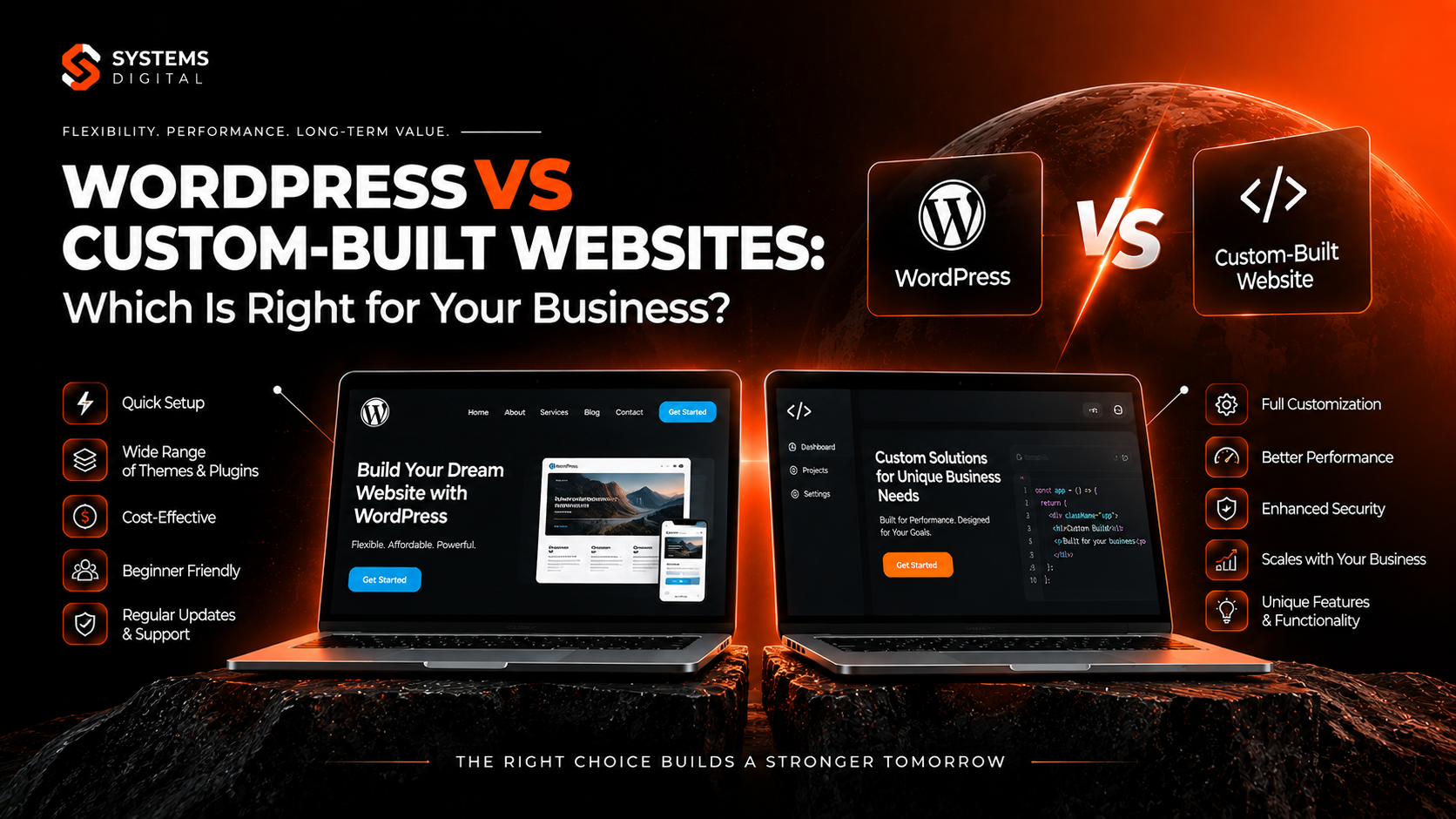
Choosing between WordPress and a custom-built website is one of the biggest decisions you’ll make before your site ever goes live — and it shapes your budget, your timeline, and how much freedom you’ll have to grow later. If you’ve been searching “WordPress vs custom website” and getting conflicting advice from every forum and agency blog, you’re not alone. Both paths can produce a fast, secure, SEO-friendly site — the right choice just depends on your business size, your team, and where you want to be in three years. This guide breaks down the real differences in cost, flexibility, security, and scalability, so you can make a confident, informed decision instead of a guess.
What Is WordPress, and What Is a Custom-Built Website?
WordPress is an open-source content management system (CMS) that currently powers roughly 40–60% of websites with a known CMS worldwide, depending on how the data is measured — some trackers put total web share closer to a third, others closer to 43%, but every measurement agrees it’s the most widely used platform on the internet by a wide margin. It works on a framework of themes and plugins, so businesses can launch a functional website without writing code from scratch.
A custom-built website, by contrast, is designed and developed from the ground up using languages like HTML, CSS, JavaScript, PHP, Python, or frameworks such as React, Laravel, or Django. There’s no pre-built theme or plugin ecosystem — every feature is engineered specifically for that one business.
Neither option is “better” in a universal sense. WordPress is a platform; a custom build is a process. The right one depends on what your business actually needs.
Why This Decision Matters More Than It Seems
Your website platform affects far more than how the site looks on launch day. It influences:
- Total cost of ownership — not just build cost, but hosting, plugin licenses, updates, and developer hours over time
- Search visibility — page speed, code cleanliness, and structured data all affect SEO-friendly website performance
- Security posture — plugin-based websites face different risk profiles than hand-coded ones
- Scalability — whether the site can handle 10x the traffic or a completely new business model without a rebuild
- Speed to market — how fast you can actually launch
Getting this wrong doesn’t just cost money upfront — it often means a full rebuild two or three years later, which is far more expensive than choosing correctly the first time.
WordPress vs Custom Website: Key Differences at a Glance
| Factor | WordPress | Custom-Built Website |
|---|---|---|
| Upfront cost | Lower (from $1,500–$8,000 for a business site) | Higher ($10,000–$100,000+) |
| Development timeline | 2–6 weeks typical | 2–6 months typical |
| Flexibility | High, within plugin/theme limits | Unlimited, built to spec |
| Maintenance | Regular updates required (core, theme, plugins) | Lower dependency, but developer-reliant |
| Learning curve | Low for content edits | Usually requires a developer for any change |
| Security | Depends heavily on plugin hygiene | Smaller attack surface, but self-managed |
| SEO capability | Strong, with plugins like Yoast or Rank Math | Fully custom, no plugin overhead |
| Best for | SMBs, blogs, ecommerce, service businesses | Enterprises, SaaS, unique functionality, high-traffic platforms |
Benefits of WordPress for Business
1. Lower upfront investment. Because WordPress relies on existing themes and plugins rather than ground-up code, businesses typically pay a fraction of custom development costs to get a professional, functional site live.
2. Faster time to launch. Most WordPress business websites can go from kickoff to launch in a matter of weeks, not months — a major advantage for businesses that need to start generating leads quickly.
3. Huge plugin ecosystem. With tens of thousands of plugins available, WordPress can add ecommerce (WooCommerce), booking systems, membership portals, SEO tools, and forms without custom development for each feature.
4. Easier content management. Non-technical staff can update pages, publish blog posts, and swap images without touching code — a major win for marketing teams that publish frequently.
5. Strong SEO foundation. WordPress is naturally SEO-friendly: clean permalink structures, fast-loading themes, and plugins like Yoast SEO or Rank Math make on-page optimization accessible even to non-developers.
6. Large support community. Because so much of the web runs on WordPress, documentation, tutorials, and developer talent are abundant and inexpensive to find compared to niche custom stacks.
Common WordPress Drawbacks
WordPress isn’t flawless. It’s worth knowing the trade-offs before committing:
- Plugin bloat can slow load times if not managed carefully
- Security risk rises with the number of third-party plugins installed, since each one is a potential vulnerability
- Update fatigue — core, theme, and plugin updates need ongoing attention to avoid conflicts
- Performance ceiling — extremely high-traffic or highly interactive platforms can hit limitations that a custom architecture wouldn’t
Benefits of Custom-Built Websites
1. Total design and functional freedom. There’s no theme or plugin limiting what the site can do. If you can specify it, a developer can build it — from proprietary booking engines to complex data dashboards.
2. Built for scale. Custom websites are architected around your actual growth plans, so they can handle spikes in traffic, complex integrations, or entirely new product lines without hitting a platform ceiling.
3. Tighter security control. With no dependency on third-party plugins, the attack surface is smaller and entirely within your developer’s control — a common reason regulated industries (finance, healthcare, legal) prefer custom builds.
4. Unique brand experience. A custom-built website design isn’t constrained by a theme’s visual grammar, so brands with a highly distinctive identity — think SaaS products, research labs, or fintech platforms — often need custom development to stand out.
5. Performance optimization. Because every line of code is written for the specific use case, custom sites can be leaner and faster than a plugin-heavy WordPress equivalent, particularly for complex web applications.
6. Ownership without ecosystem lock-in. You’re not tied to a platform’s update cycles, licensing terms, or plugin marketplace pricing.
Common Custom Website Drawbacks
- Higher cost — both to build and to maintain, since every change usually requires developer hours
- Longer timeline — a custom-built website design typically takes months, not weeks
- Developer dependency — most content or feature changes require technical involvement, unlike WordPress’s editor-friendly dashboard
- Harder to find replacement talent — proprietary code is less standardized than WordPress, so onboarding a new developer takes longer
Cost, Timeline, and Demand: How the Two Really Compare
Cost of WordPress vs custom website is usually the first question business owners ask, and the honest answer is: it depends on complexity, not just platform.
- A basic WordPress business website: $1,500–$5,000
- A WordPress site with ecommerce (WooCommerce) or custom theme work: $5,000–$15,000
- A custom website for a small-to-mid business: $10,000–$40,000
- A custom, enterprise-grade or SaaS platform: $40,000–$150,000+
Ongoing costs matter just as much. WordPress hosting, premium plugin licenses, and maintenance retainers typically run $50–$500/month, while custom sites often carry higher developer retainer costs since routine changes require code-level work rather than a simple dashboard edit.
Timeline: WordPress projects commonly launch in 2–6 weeks; custom builds typically take 8–24 weeks, depending on feature complexity.
Demand: Demand for WordPress website development remains extremely high because so much of the small-business and content-publishing web runs on it — the platform is used on well over a third of all websites globally, and by a majority of sites running any identifiable CMS. Demand for custom development skews toward businesses with unique operational needs: SaaS companies, marketplaces, logistics platforms, and enterprises requiring bespoke integrations.
WordPress vs Shopify, Webflow, Drupal, and Other Alternatives
The “WordPress vs custom” conversation often expands once business owners start comparing platforms directly:
- WordPress vs Shopify for ecommerce: Shopify is purpose-built for online stores with less setup required, while WordPress + WooCommerce offers more content flexibility and lower platform fees, but needs more configuration. For ecommerce specifically, Shopify tends to win on simplicity; WordPress wins on content marketing and customization.
- WordPress vs Drupal vs custom CMS: Drupal is often chosen by logistics, government, and recruitment platforms needing granular permission systems — it sits between WordPress’s simplicity and full custom development’s flexibility.
- Webflow vs WordPress vs custom development: For research labs, scientific institutions, or highly design-led brands, Webflow offers a middle ground — more design control than WordPress themes, without the full cost of custom code. But it hits a functionality ceiling faster than a true custom build for complex data-driven sites.
- WordPress theme vs custom website design: A theme gives you a pre-built visual structure you adapt; custom design starts from a blank canvas built entirely around your brand and user flow.
Is WordPress Secure Enough for Business?
Yes — when properly maintained. WordPress core itself is regularly audited and patched, but the vast majority of security incidents come from outdated plugins, weak passwords, and poor hosting configuration, not the CMS itself. Businesses that keep plugins updated, use reputable security plugins (like Wordfence or Sucuri), and choose managed WordPress hosting see security outcomes comparable to custom-built sites. Custom sites reduce third-party dependency risk but shift full responsibility for patching vulnerabilities onto your development team.
SEO: Which Platform Ranks Better?
Neither platform inherently outranks the other — Google ranks based on content quality, site speed, mobile usability, and backlinks, not the underlying CMS. That said:
- WordPress offers faster SEO setup through plugins that handle meta tags, sitemaps, and schema markup automatically
- Custom sites can achieve superior raw performance (Core Web Vitals) if built with SEO in mind from the architecture stage, since there’s no plugin overhead to slow things down
- For content-heavy businesses publishing blogs regularly, WordPress’s editorial workflow tends to support consistent SEO output more easily than a custom CMS without significant investment in a comparable admin interface
Why Choose System Digital
Deciding between a WordPress website and a custom-built solution isn’t something to figure out alone — it depends on your specific growth plans, budget, and technical requirements. Why choose System Digital comes down to one thing: we build the right solution for your business stage, not the one that’s easiest for us to deliver. Our team evaluates your goals first, then recommends WordPress, a headless CMS, or a fully custom build based on what will actually serve your business over the next five years — not just the next five weeks.
If your business has outgrown a template-based website or you’re planning features no plugin can deliver, explore Advanced services at System Digital to see how a tailored build can support your next stage of growth.
Real-World Examples
- A local service business (plumbing, legal, med-spa) typically thrives on WordPress: fast launch, easy blog updates for local SEO, and low ongoing cost.
- An ecommerce brand scaling past a few thousand SKUs often outgrows basic WooCommerce and moves to a custom or headless commerce architecture for performance at scale.
- A SaaS startup building an interactive product demo or dashboard almost always needs a custom-built website, since no WordPress theme can replicate bespoke application logic.
- A research lab or scientific institution publishing dense, structured data often lands between Webflow and custom development, prioritizing design precision and data presentation over blogging convenience.
Future Website Development Opportunities in Australia
Australia’s small business and startup sectors continue to invest heavily in both WordPress website development and custom development services, with demand rising for hybrid approaches — a WordPress front end paired with custom-built functionality via APIs, or headless WordPress setups feeding into custom-coded interfaces. Businesses in Sydney, Melbourne, Brisbane, and Perth increasingly seek local web design agencies that can advise honestly on WordPress vs custom-built website decisions rather than defaulting to whichever platform the agency specializes in — a gap that positions businesses well to work with consultative partners like System Digital.
Frequently Asked Questions
Is WordPress good for a business website?
Yes. WordPress suits most small-to-mid businesses because it’s fast to launch, cost-effective, and easy for non-technical staff to manage, while still supporting strong SEO and ecommerce functionality.
What are the disadvantages of WordPress?
The main drawbacks are plugin-related security risk, potential performance slowdown from too many plugins, and a functionality ceiling for highly complex or unique applications.
Is custom coding better than WordPress?
Not universally — it’s better for businesses needing unique functionality, maximum performance, or tight security control, but it costs more and takes longer to build than a WordPress site.
How much does a custom website cost vs WordPress?
WordPress sites typically range from $1,500–$15,000; custom websites usually run $10,000–$150,000+, depending on complexity.
Can a WordPress site be converted into a custom website later?
Yes. Many businesses start on WordPress to launch quickly and later migrate to a custom or headless architecture once they hit scale or functionality limits.
Which platform is better for startups: WordPress or custom development?
Most early-stage startups choose WordPress or a design tool like Webflow to launch fast and validate their market, then move to custom development once product-market fit justifies the investment.
Conclusion: Making the Right Choice for Your Business
There’s no single right answer to “WordPress vs custom-built website” — only the right answer for where your business is right now. If you need to launch fast, manage content in-house, and keep costs controlled, WordPress is very likely your best fit. If your business has outgrown templates, needs unique functionality, or is scaling toward enterprise-level traffic, a custom build will serve you better long-term.
Not sure which path fits your business? Book a seat at Advanced Services offered by System Digital, and our team will walk through your goals, budget, and growth plans to recommend the platform that actually fits — not just the one that’s easiest to sell.